A community meetup in an evening: registration, introductions, feedback
The “Meeting” preset asks only for a name and dates — registration is open and registrations confirm themselves. Participants connect by scanning a QR in the app, the reminder goes out on schedule, and the next morning brings a survey with a personal link.
- Example: Data Journalism Night
- the “Meeting” preset
- registration without approval
- introductions in the app
- a survey the next morning

What keeps a meetup from becoming a community
The announcement is out, registration isn’t
The speaker said yes yesterday. The form, the confirmation email and the guest list have to come together in one evening, across three different services.
Forty people came, five met someone new
Friends stick together, the rest leave without a single conversation. Contacts stay in a group chat where nobody will find them.
Reminders by hand, with a copied list
Someone registered a month ago and forgot. The organizer writes the “tomorrow at 19:00” email and pulls the recipients from a spreadsheet.
Three likes instead of feedback
What worked and what to talk about next time is known only to those who said it out loud on their way out.
A community meetup as an Aditum configuration
The “Meeting” preset opens the short wizard and nothing more: no desk, no quotas, no approvals. Everything else is switched on later, when you need it.
- “Meeting”
- Short wizard
- No approval
- 19:00–21:00
Only the name and dates are required. Five steps — basics, place, story, participation, publication — and the “Create and publish” button.
- Open form
- Instant confirmation
- Listed in the catalog
A registration confirms itself, and the person gets an email with a QR. For an online meetup the “Place” step asks for the stream address.
- Profile and up to five interests
- Scan a QR, join the network
- Chat and meetings
The preset doesn’t add networking: after the wizard the event is an ordinary one, and the module is switched on in its settings.
- Confirmation email
- Reminder on a day and hour
- Push to the app
You schedule the reminder on the event’s clock. Until it goes out you can change it, move it or cancel it.
- NPS
- Star rating
- Open question
- Confidential
Every participant gets a personal link by email, and those who haven’t answered get a reminder.
From the announcement on Monday to feedback on Friday
-
18:00Monday · console
The “Meeting” tile — and registration is open
The community manager enters the name, the date and the Club stage from the places directory, then presses “Create and publish”. Approval is off: every registration confirms itself.
Registration →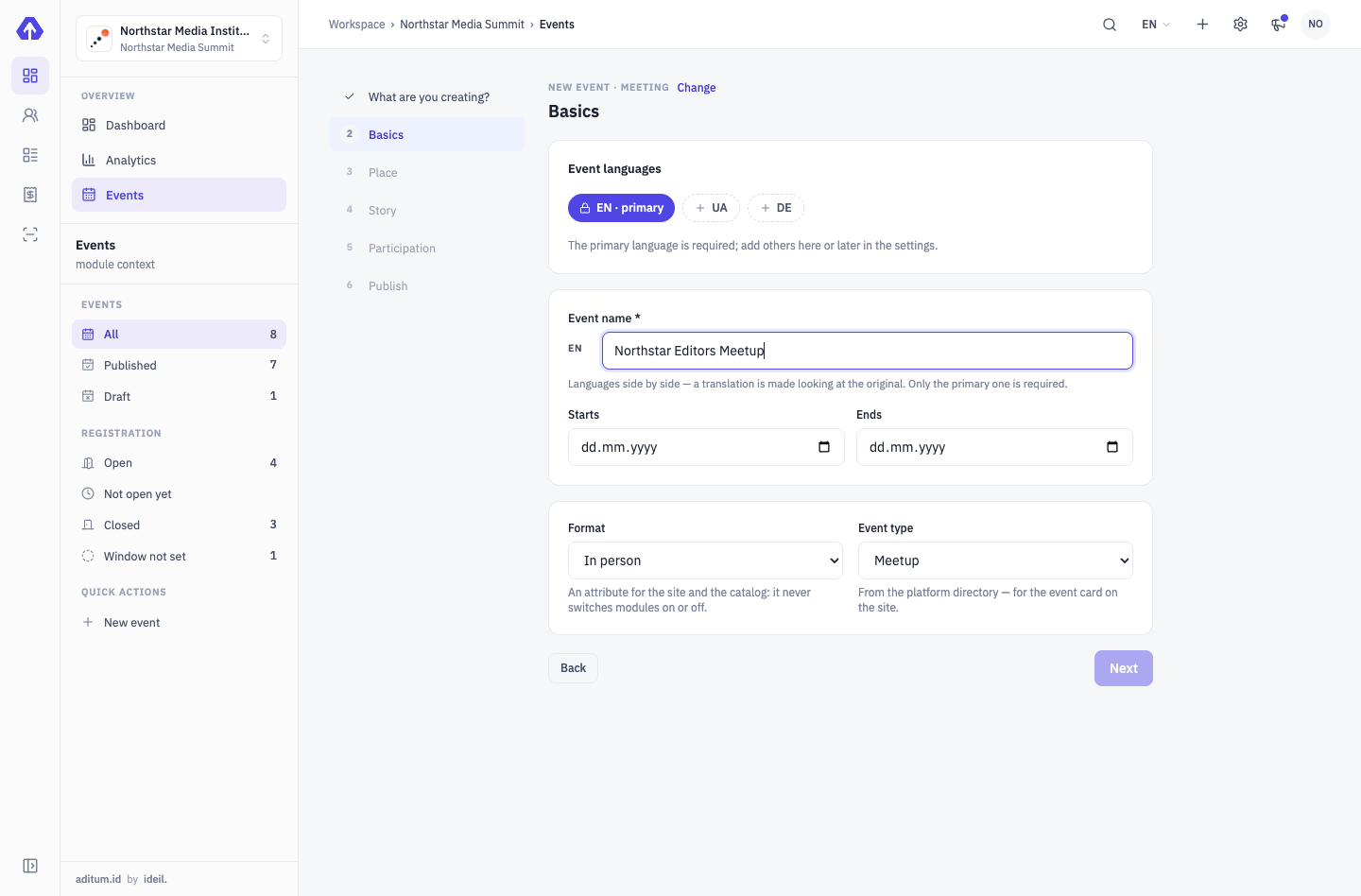
-
18:30Monday · settings
Networking is one tab away
She switches networking on and keeps the default rules: participants are listed in the catalogue, and nobody sees contacts until a person opens them to their own network.
Networking →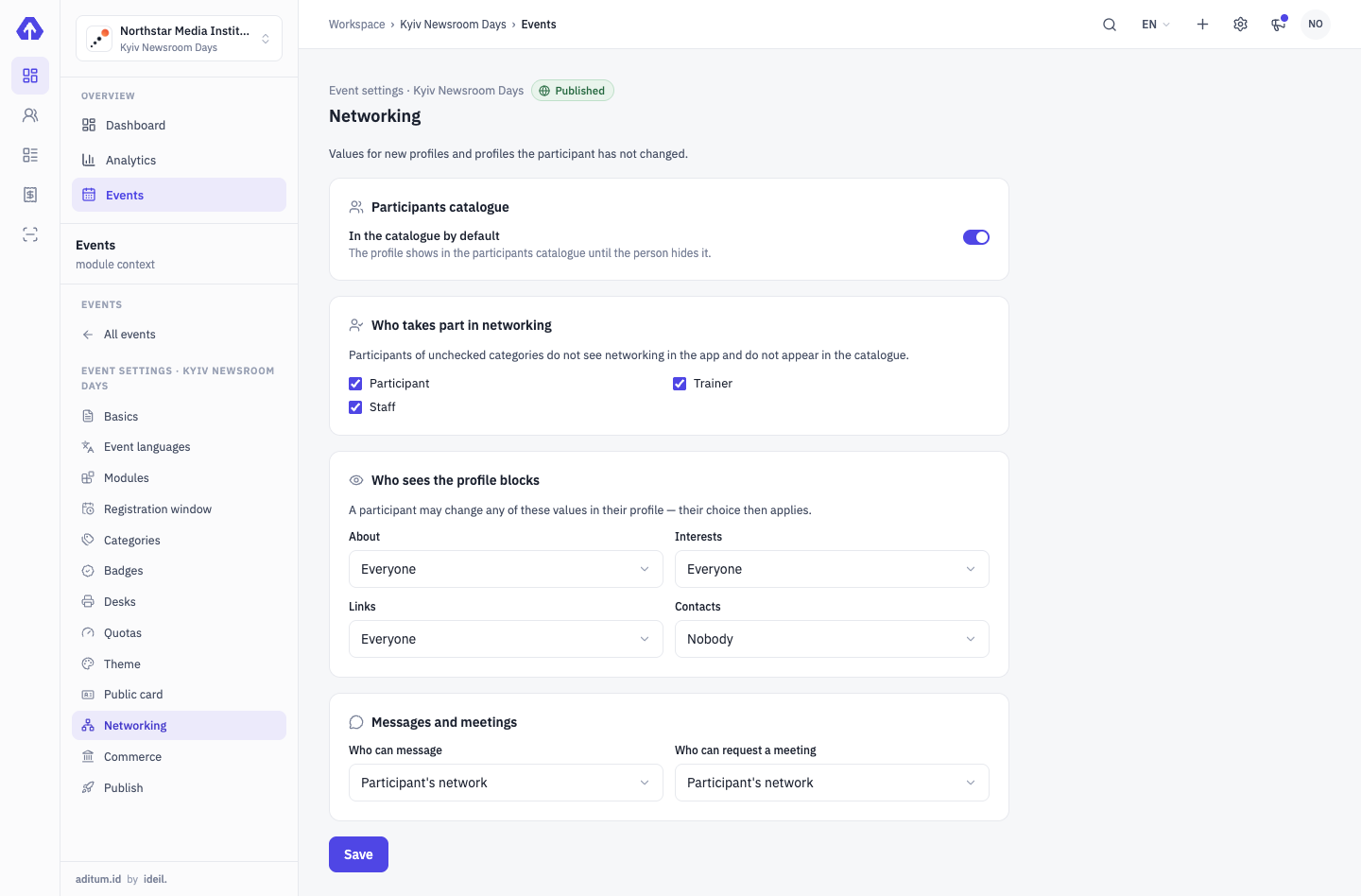
-
10:00Thursday · broadcast
The reminder sends itself
The “tonight at 19:00” reminder — an email or a push — was scheduled back on Monday. Every confirmed participant gets it: the segment is recounted before sending, so yesterday’s registrations are included too.
Communications & Wallet →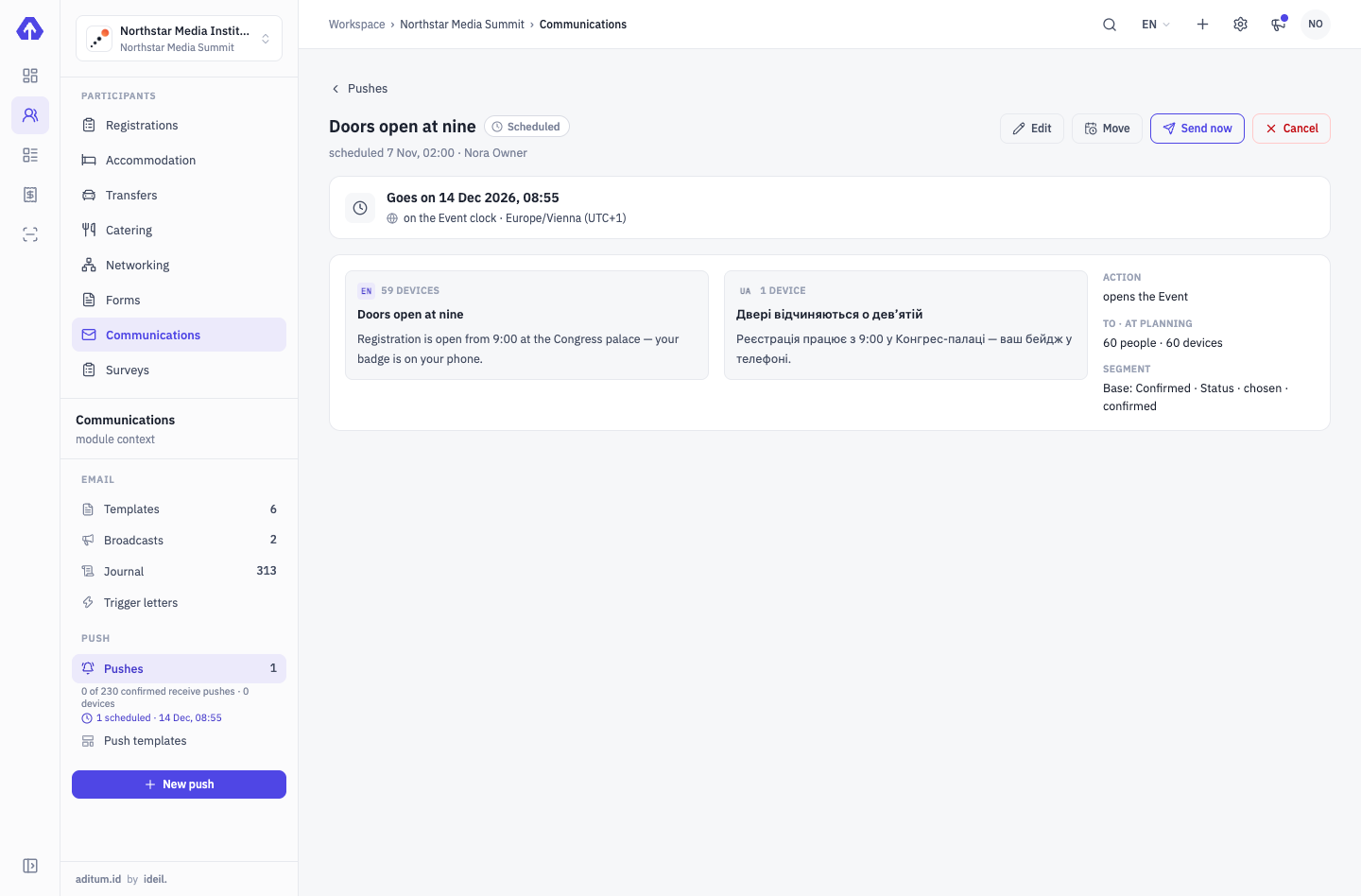
-
20:10Thursday · Club stage
A QR scan instead of swapping numbers
A participant scans the badge QR in the other person’s app — they are in each other’s network at once, and he gets a push. Later she writes to him in the chat and proposes a 30-minute meeting next week.
Networking →NORTHSTAR CategoryParticipant- Participant
- Iryna Savchuk
- Event
- Data Journalism Night
- Badge group
- Participants
- Date
- Thursday, 19:00
- Venue
- Club stage
-
09:00Friday · survey
Feedback while the evening is still fresh
A survey with NPS and one open question goes out by email with a personal link: it opens without a code, from a phone. In the evening — “Remind those who have not answered”.
Surveys →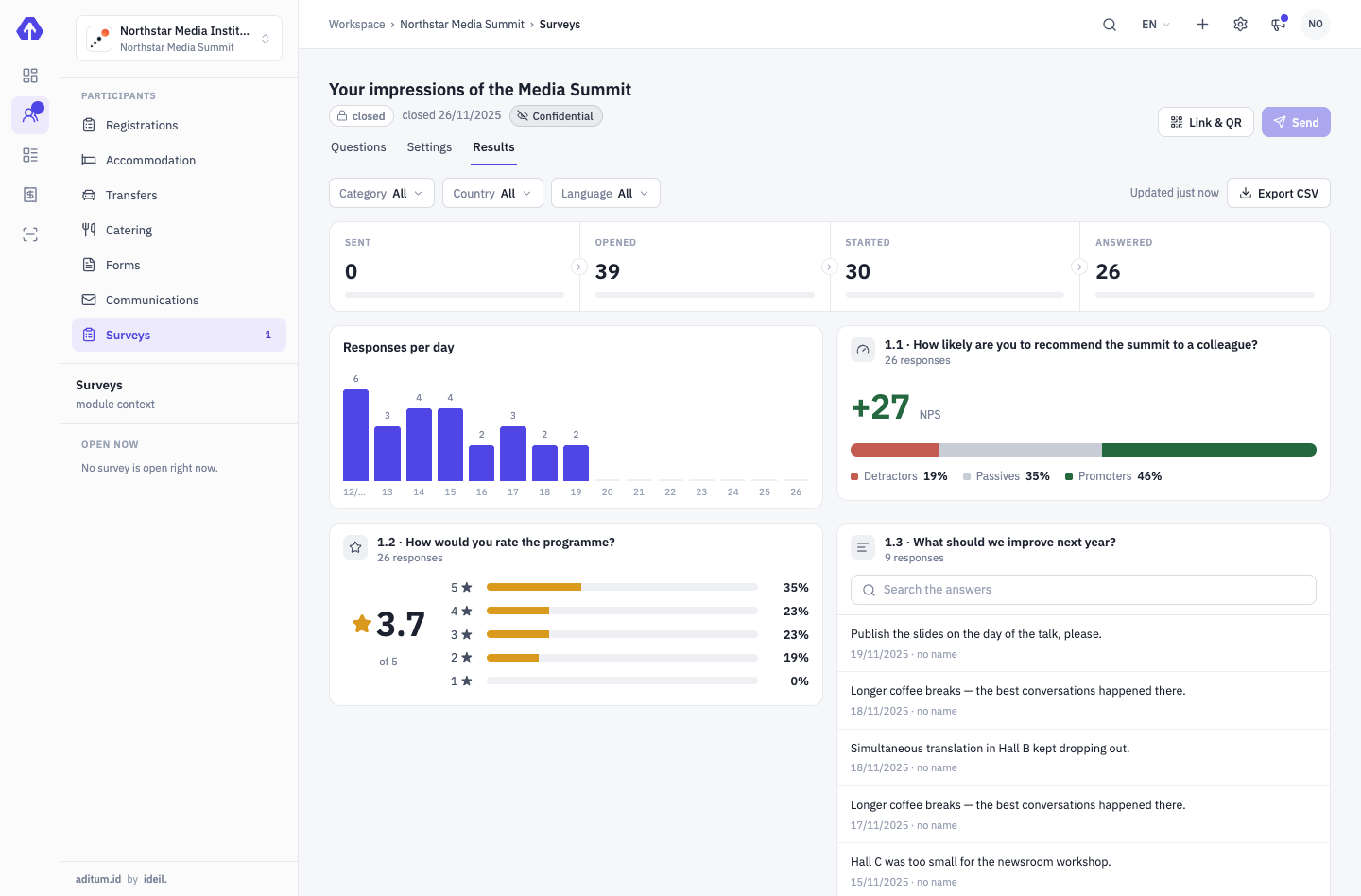


Four capabilities for a community meetup
Questions and answers
What do I need to open registration?
A name and dates — everything else is optional. The short wizard of the “Meeting” preset ends with “Create and publish” or “Create as draft”.
Do I have to approve every participant?
No. Approval is off in the “Meeting” preset, and a registration confirms itself. For a closed meetup, approval is switched on in the event settings.
Who sees my phone and email?
Nobody, by default. Each profile block — About, Interests, Links, Contacts — a person opens to everyone, to their network only or to nobody.
What if someone doesn’t have the app?
A connection request, a new message or a proposed meeting arrives by email — no more than one email a day from the same person.
Is the survey anonymous?
It is confidential by default: you see who answered but not what a particular person answered. Breakdowns with fewer than five answers are hidden.
We’ll show you how to launch your meetup
From announcement to feedback — one meetup of your community in a 30-minute demo call.
Tell us about your event — we’ll show it on yours
A demo is a 30-minute call with the team that develops Aditum. Not slides but your scenario: we set up categories, approvals, zones and desks for your event.
- Fill in the form: event type, number of participants, a few words about it
- Within one business day we email you to agree a time
- On the call we show Aditum configured for your event and answer your questions