A conference of 300 people in seven roles — without seven spreadsheets
Speakers, attendees, press, partners, team, VIPs, organizers. Three parallel tracks. Booths in the foyer. Usually that is weeks of manual work. In Aditum it is all automated: one event, one database, one QR per person.
- Demo: Northstar Media Summit 2027
- 300 applications
- 52 programme items
- 30 speakers
- 3 halls

Four things that break a week before the conference
Hundreds of participants in different roles
A speaker can’t register through the guest form. Neither can a partner. As many lists as roles, with different people, none of them matching. In Aditum categories are a builder: each event defines its own.
3 parallel tracks
A speaker is in two halls at once, and the site still shows the old programme. You find out from participants.
Media accreditation
Press applications need a separate check, a different badge and access to the press zone. Everyone else — no.
Partners with booths
Booth staff arrive a day early for build-up. Let them into the foyer on Wednesday — and not into the hall on Thursday.
Not a template. A conference configuration
The same blocks as for a summit or a dinner — with different values. They are what makes a conference a conference.
- Attendee
- VIP
- Speaker
- Media
- Partner
- Staff
- Organizer
Categories are a builder, defined per event. This conference has 7; each = its own form and its own set of rights: what they see, where they go, what they get at the desk.
- Organizer approves
- Media — separate queue
Public applications with moderation. Press applications are checked by a dedicated person and get a separate badge.
- 2 public: attendee, media
- 5 closed by link
Speakers, partners, staff, VIPs and organizers register by closed link — no queue with guests.
- Hall E
- Hall F1
- Hall F2
- Foyer F (booths P01–P08)
- Business Lounge
- Suite E — speakers’ room
The congress centre as zones. A rule per zone, per session, with personal overrides.
- 3 desks
- Welcome kit for everyone
- Power banks — return by end of day
- Team T-shirts by size
General Registration, Speakers & VIP, Help & Reprints. Each desk with its own numbers.
- Status emails
- Segment campaign: speakers
- Apple + Google Wallet
Speakers get their own email with hall and time, partners — about build-up. A Wallet pass for every confirmed participant.
Thursday, 14 October. What it looks like from the inside
-
07:30Foyer F · booths
Booth staff arrive for build-up
Yesterday they were let into the foyer under the “build-up, Wednesday” rule. Today the foyer and lounge are open to them, the halls are not. The rule was changed in the console, not at the gate.
Access control →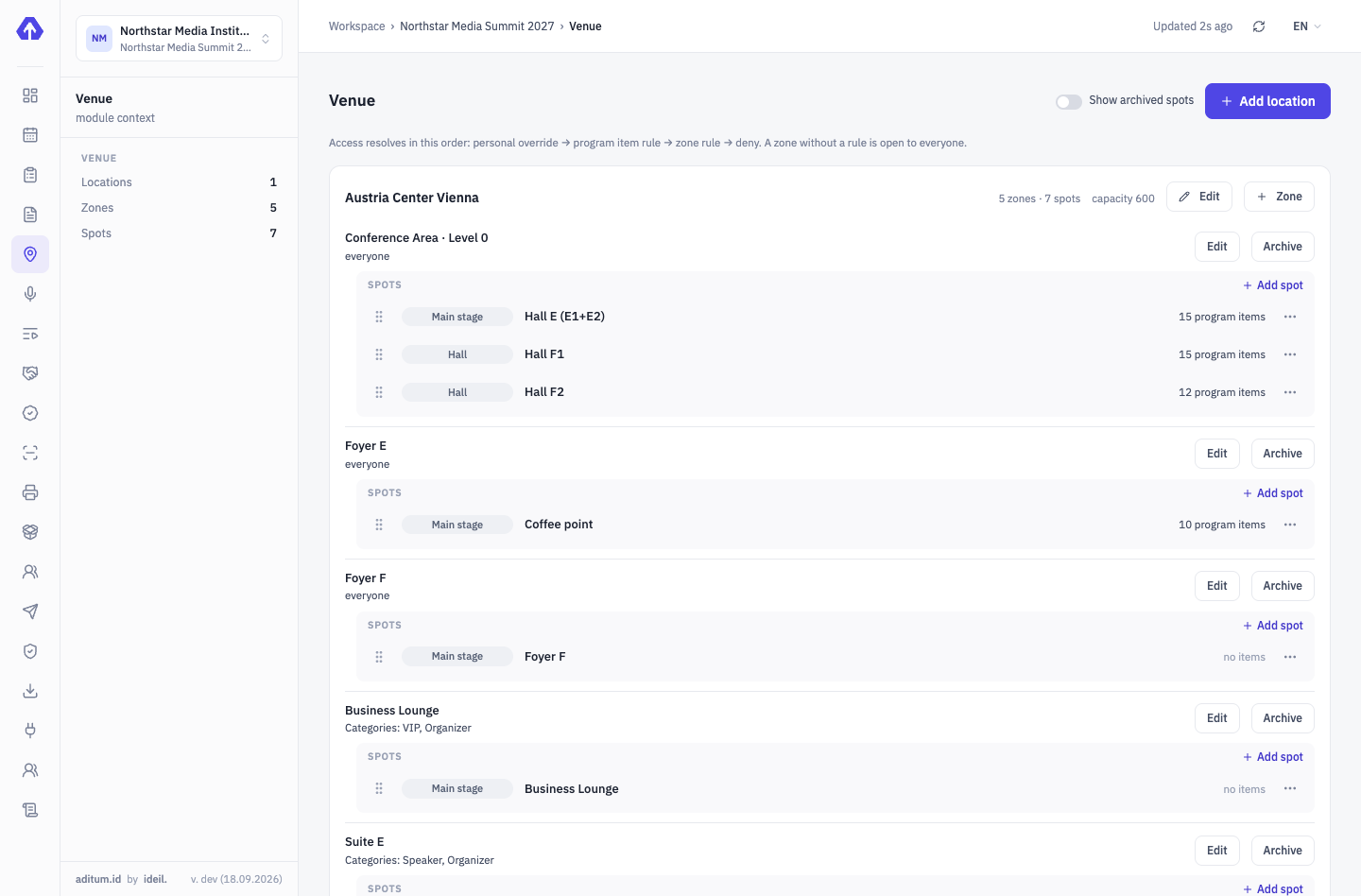
-
08:15Main entrance · 3 desks
300 people in 90 minutes
Search by surname or scan the QR from the email. A welcome kit for everyone, a T-shirt for the team by size. The Speakers & VIP desk — no queue.
On-site accreditation →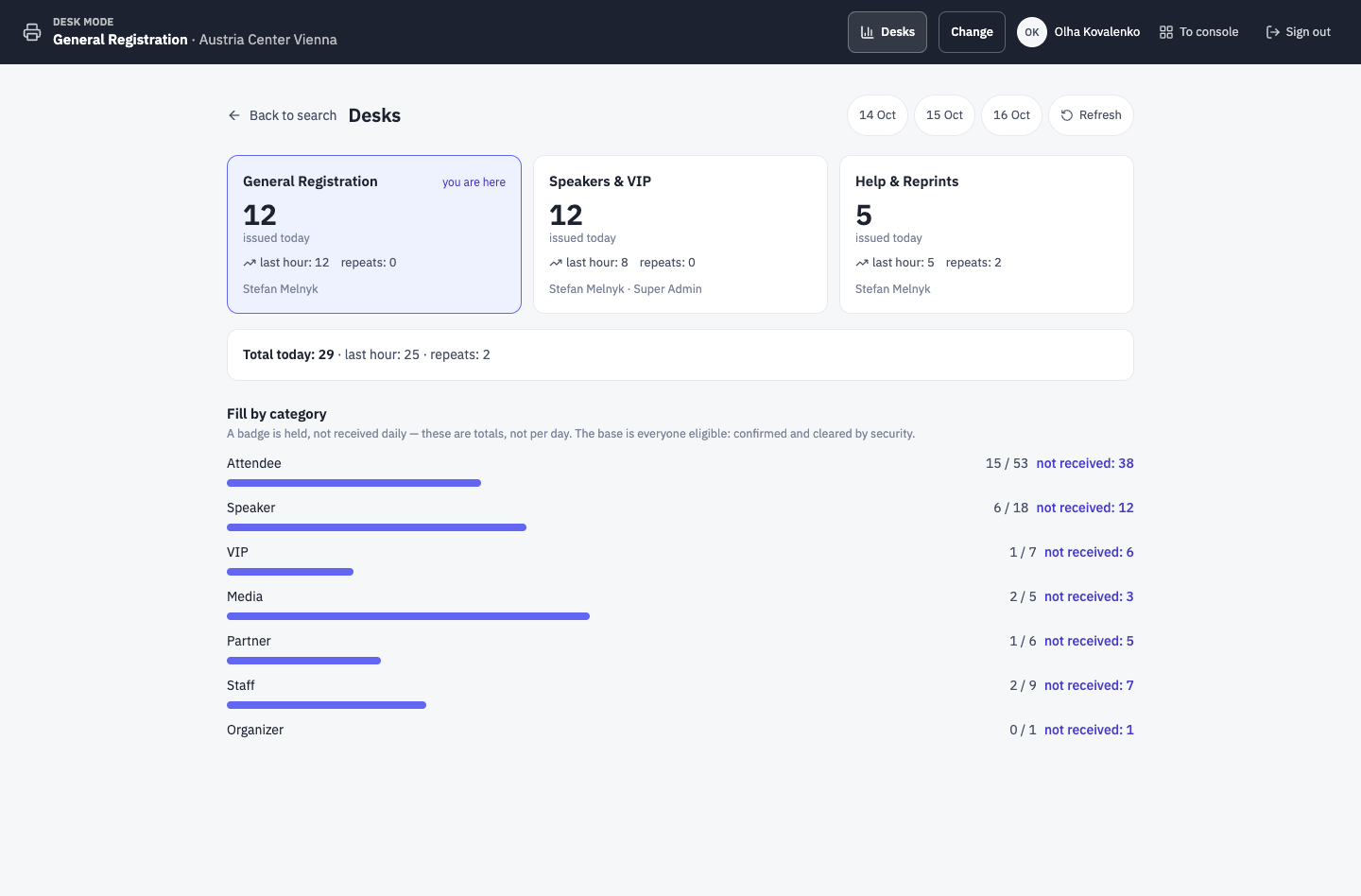
-
09:55Hall E · Gate A
A speaker enters her session
Guard scans — “Allowed”, rule: Hall E → 10:00 session → “Speakers” group. A guest with an “Attendee” badge for the same session — also allowed; Suite E — not.
Aditum Guard →Gate A · Hall E ENTRYEntry allowedEWEmma WilsonSpeaker- Profile
- Speakers
- Country
- IE
- Zone
- Hall E
- Time
- 14 Oct, 09:55
Rule: Hall E → 10:00 session → SpeakersTap to continueEnter code manually -
13:40Console · programme
A session in Hall F1 shifted by 15 minutes
Changed the time in the console — the event site, the guest app and the session access rules updated. Nobody sent a PDF around.
Programme, speakers, partners →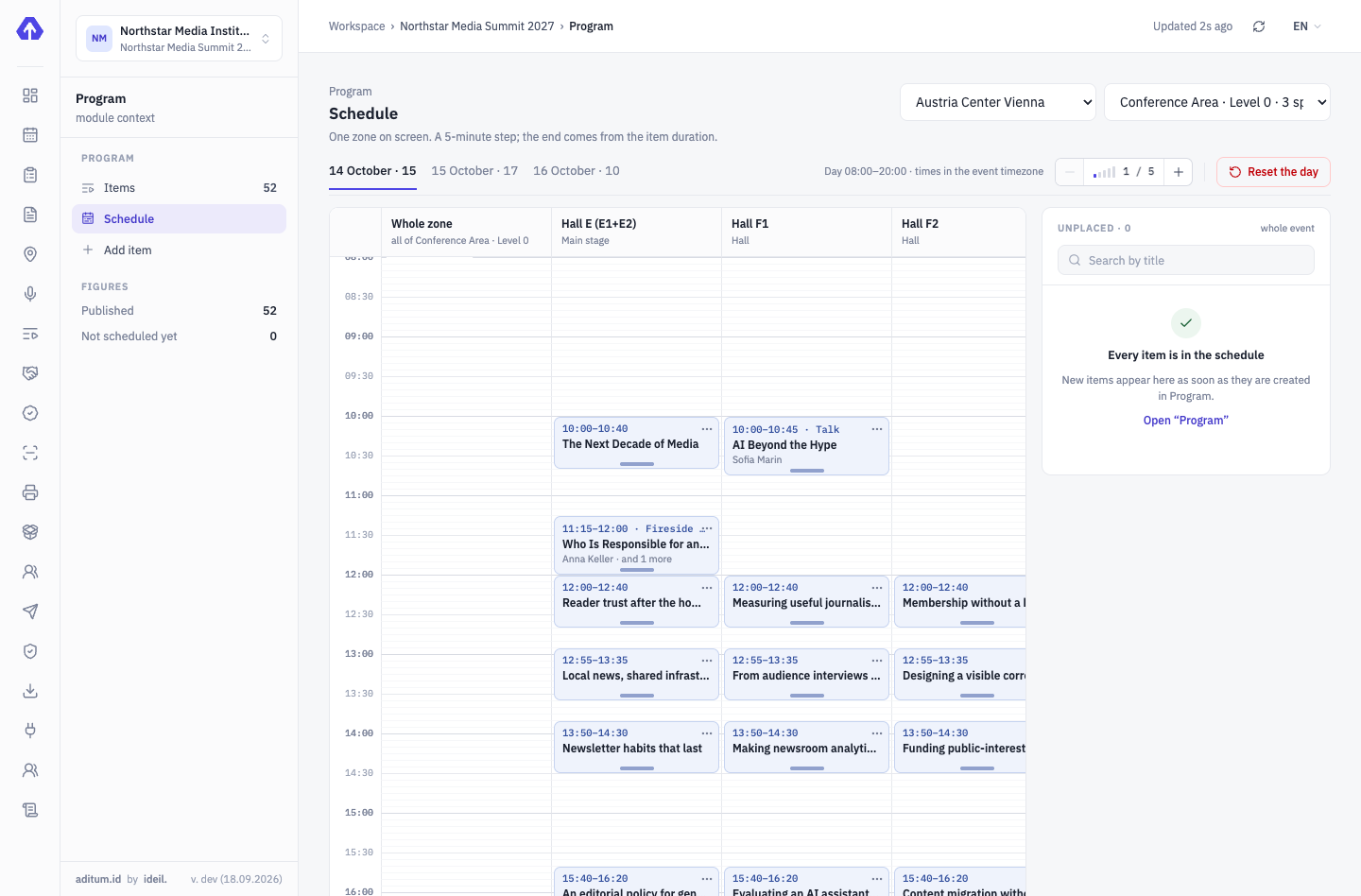
-
18:30Help & Reprints desk
Power banks are due back by the end of the day
41 handed out, 38 returned. Three are on the overdue list with contacts. A “return reminder” email goes to that segment automatically.
On-site accreditation →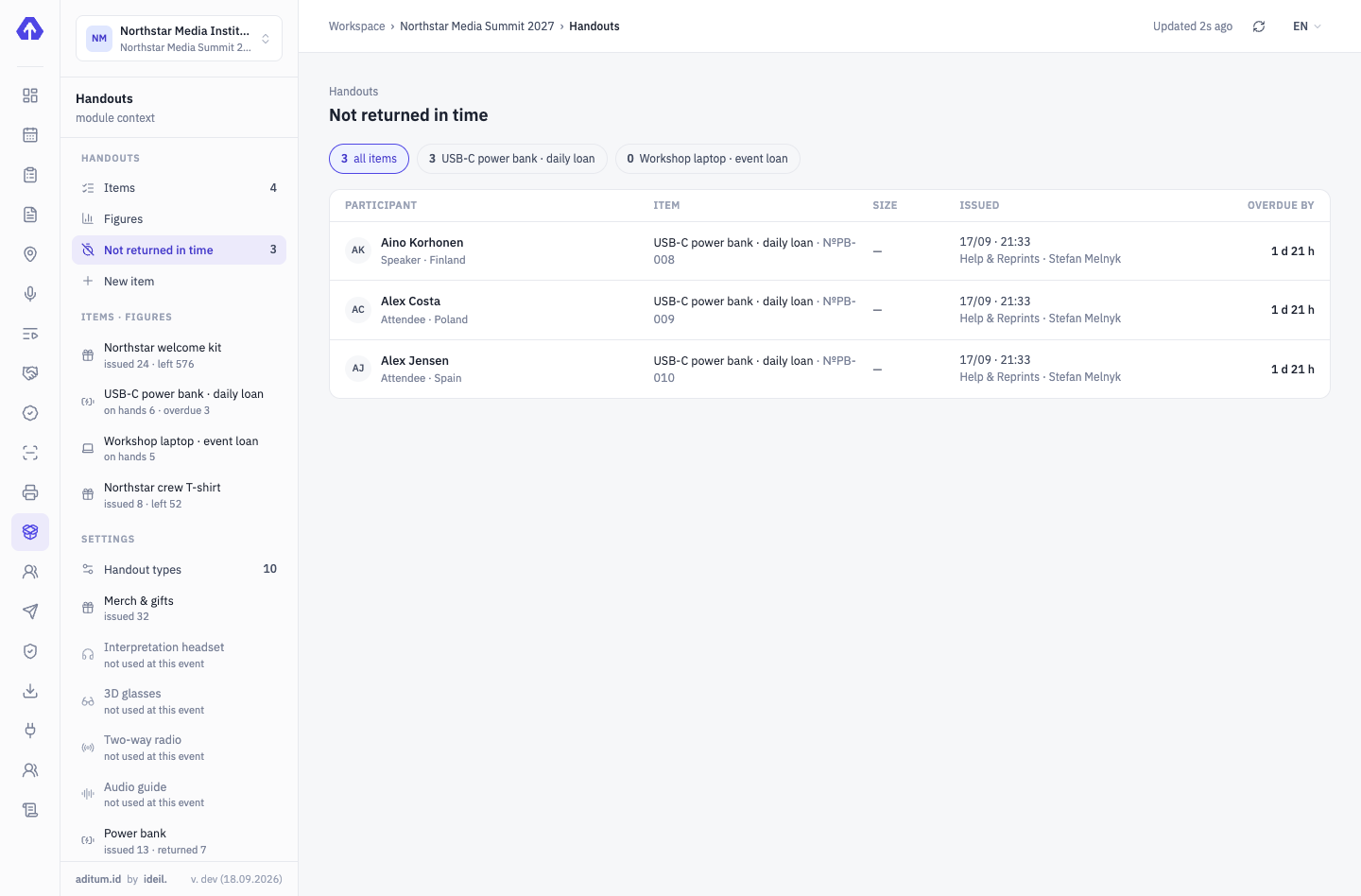


All seven modules work at a conference
We’ll show it on your conference
Your categories, your halls, your programme — we’ll configure the demo for a real scenario in one meeting.
Tell us about your event — we’ll show it on yours
Not slides — your scenario: categories, approvals, zones, desks. We’ll set the demo up for your event.