A conference of 300 people in seven roles — without seven spreadsheets
Speakers, attendees, press, partners, team, VIPs, organizers. Three parallel tracks. Booths in the foyer. Usually that is weeks of manual work. In Aditum it is all automated: one event, one database, one QR per person.
- Demo: Northstar Media Summit 2027
- 300 applications
- 52 programme items
- 30 speakers
- 3 halls

Four things that break a week before the conference
Hundreds of participants in different roles
A speaker can’t register through the guest form. Neither can a partner. As many lists as roles, with different people, none of them matching. In Aditum categories are a builder: each event defines its own.
3 parallel tracks
A speaker is in two halls at once, and the site still shows the old programme. You find out from participants.
Media accreditation
Press applications need a separate check, a different badge and access to the press zone. Everyone else — no.
Partners with booths
Booth staff arrive a day early for build-up. Let them into the foyer on Wednesday — and not into the hall on Thursday.
Not a template. A conference configuration
The same blocks as for a summit or a dinner — with different values. They are what makes a conference a conference.
- Attendee
- VIP
- Speaker
- Media
- Partner
- Staff
- Organizer
Categories are a builder, defined per event. This conference has 7; each = its own form and its own set of rights: what they see, where they go, what they get at the desk.
- Organizer approves
- Media — separate queue
Public applications with moderation. Press applications are checked by a dedicated person and get a separate badge.
- 2 public: attendee, media
- 5 closed by link
- Team tickets
Speakers, partners, staff, VIPs and organizers register by closed link — no queue with guests. A company buys tickets for the whole team in one order — each ticket becomes a registration link for a colleague.
- Hall E
- Hall F1
- Hall F2
- Foyer F (booths P01–P08)
- Business Lounge
- Suite E — speakers’ room
- Screens by the halls
- Meeting corner in Foyer F
The congress centre as zones. A rule per zone, per session, with personal overrides. By every hall — a screen with the “Now in the hall” scene: the current session, speakers, a timer.
- 3 desks
- Welcome kit for everyone
- Power banks — return by end of day
- Team T-shirts by size
General Registration, Speakers & VIP, Help & Reprints. Each desk with its own numbers.
- Status emails
- Segment campaign: speakers
- Apple + Google Wallet
- Survey after the day
Speakers get their own email with hall and time, partners — about build-up. A Wallet pass for every confirmed participant. In the evening confirmed participants get a survey — each with a personal link.
Thursday, 14 October. What it looks like from the inside
-
07:30Foyer F · booths
Booth staff arrive for build-up
Yesterday they were let into the foyer under the “build-up, Wednesday” rule. Today the foyer and lounge are open to them, the halls are not. The rule was changed in the console, not at the gate.
Access control →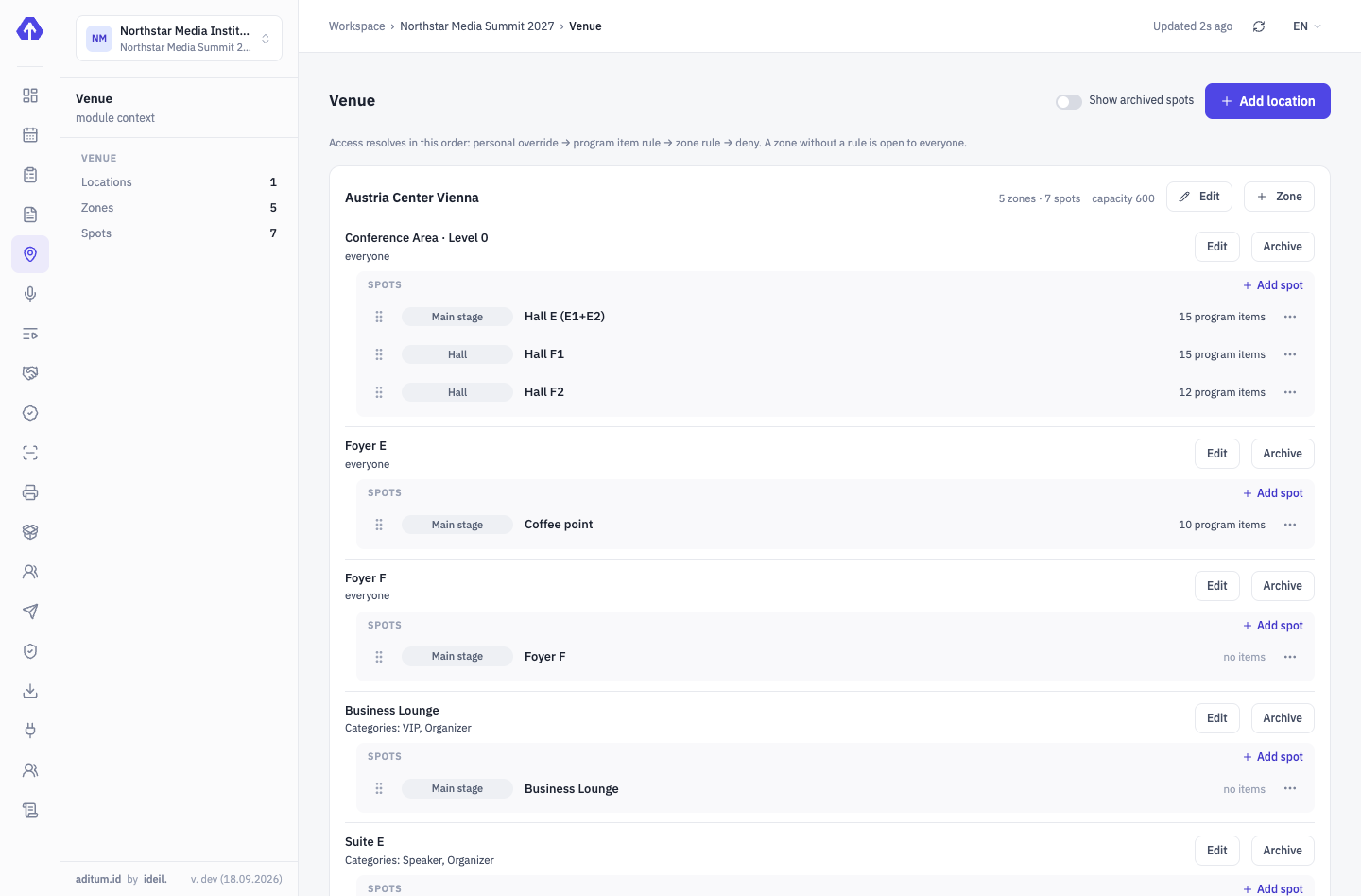
-
08:15Main entrance · 3 desks
300 people in 90 minutes
Search by surname or scan the QR from the email. A welcome kit for everyone, a T-shirt for the team by size. The Speakers & VIP desk — no queue.
On-site accreditation →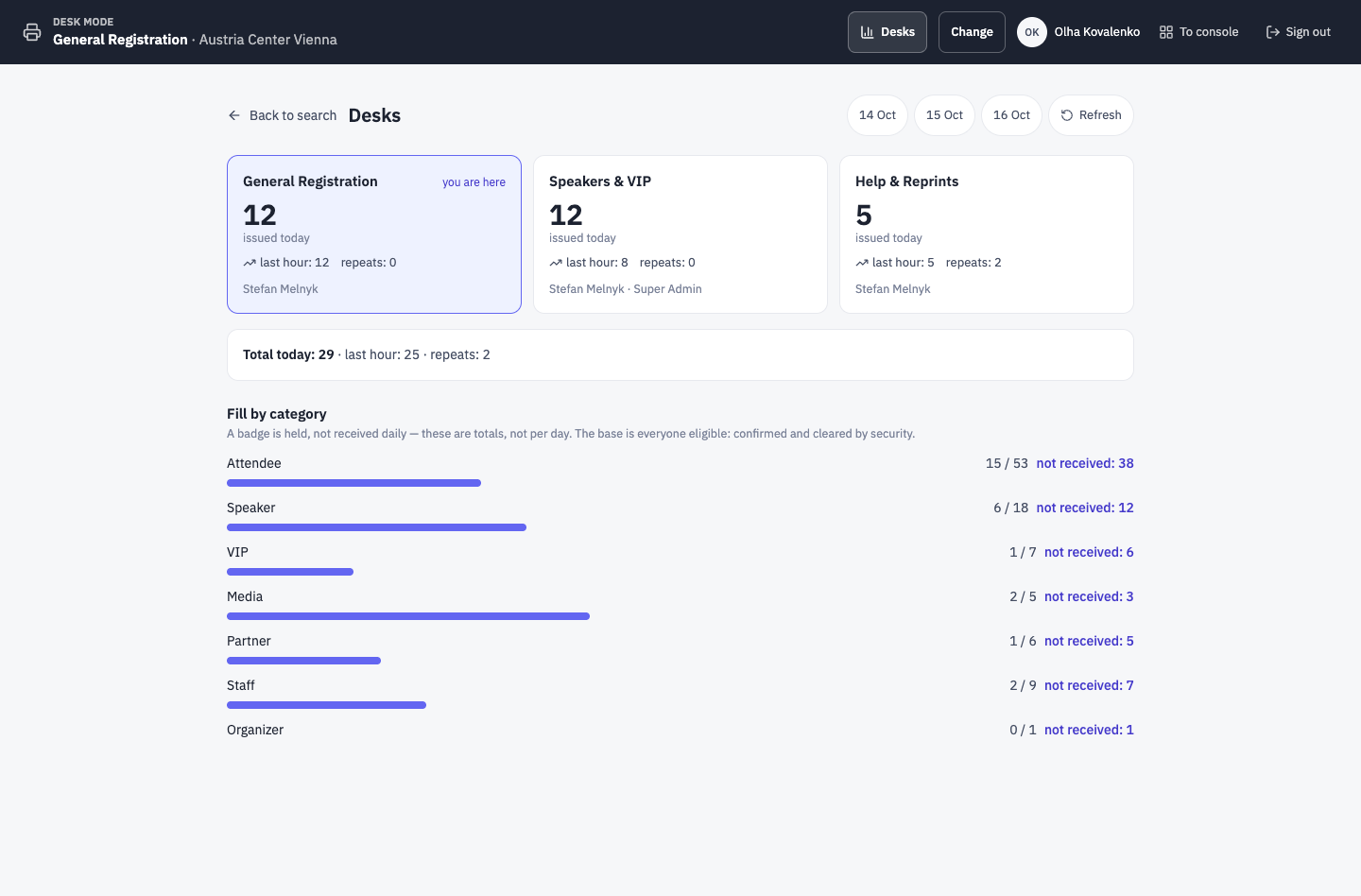
-
09:55Hall E · Gate A
A speaker enters her session
Guard scans — “Allowed”, rule: Hall E → 10:00 session → “Speakers” group. A guest with an “Attendee” badge for the same session — also allowed; Suite E — not.
Aditum Guard →Gate A · Hall E ENTRYEntry allowedEWEmma WilsonSpeaker- Profile
- Speakers
- Country
- IE
- Zone
- Hall E
- Time
- 14 Oct, 09:55
Rule: Hall E → 10:00 session → SpeakersTap to continueEnter code manually -
12:30Foyer F · meeting corner
A meeting agreed in the app
A participant filtered the catalogue by the “Subscriptions” interest, found the head of revenue at a regional daily and invited her for 30 minutes. The place comes from the list you set up; 15 minutes before, both got a push reminder.
Networking →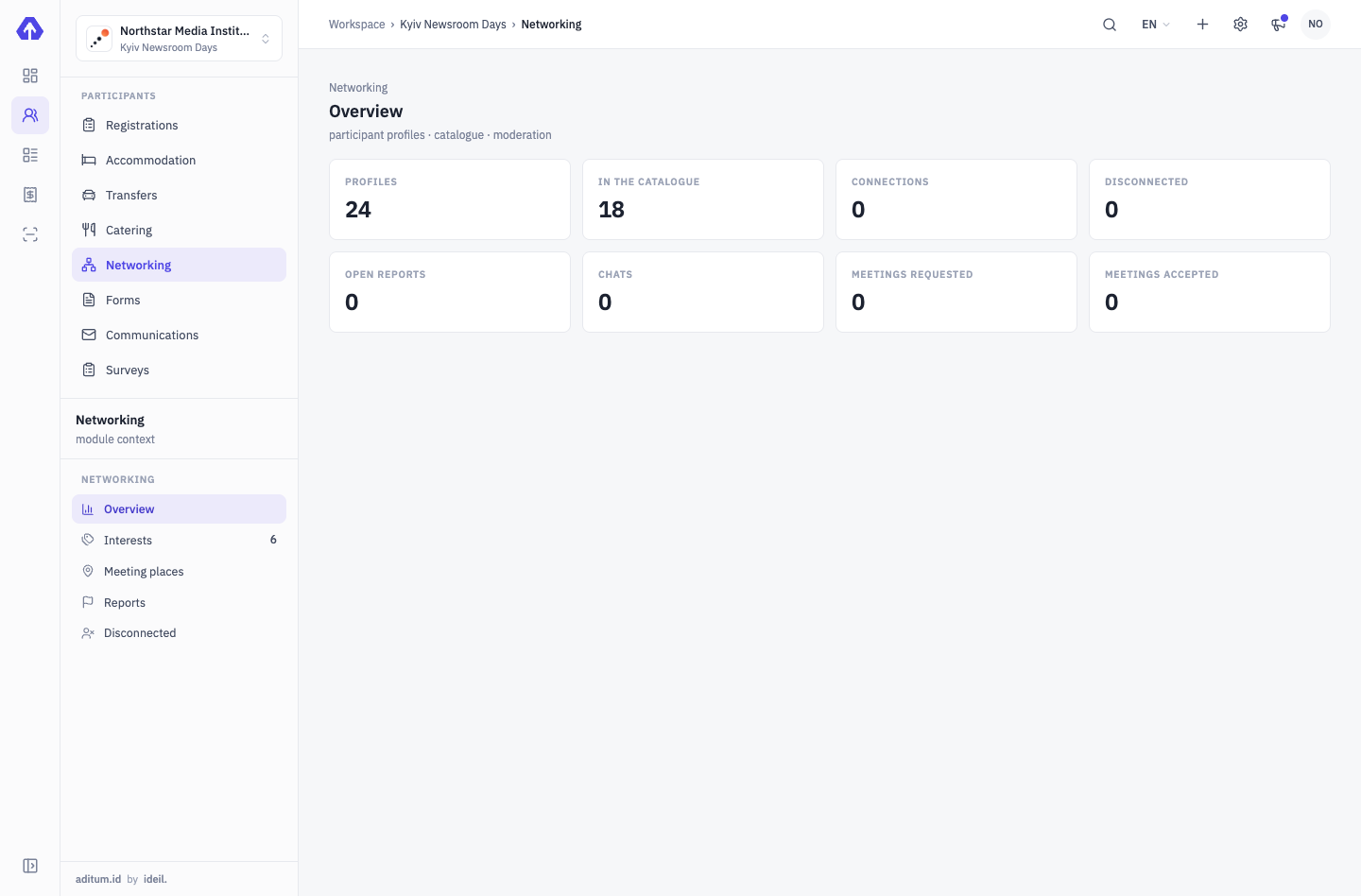
-
13:40Console · programme
A session in Hall F1 shifted by 15 minutes
Changed the time in the console — the event site, the guest app and the session access rules updated. Nobody had to send anything to anyone.
Programme, speakers, partners →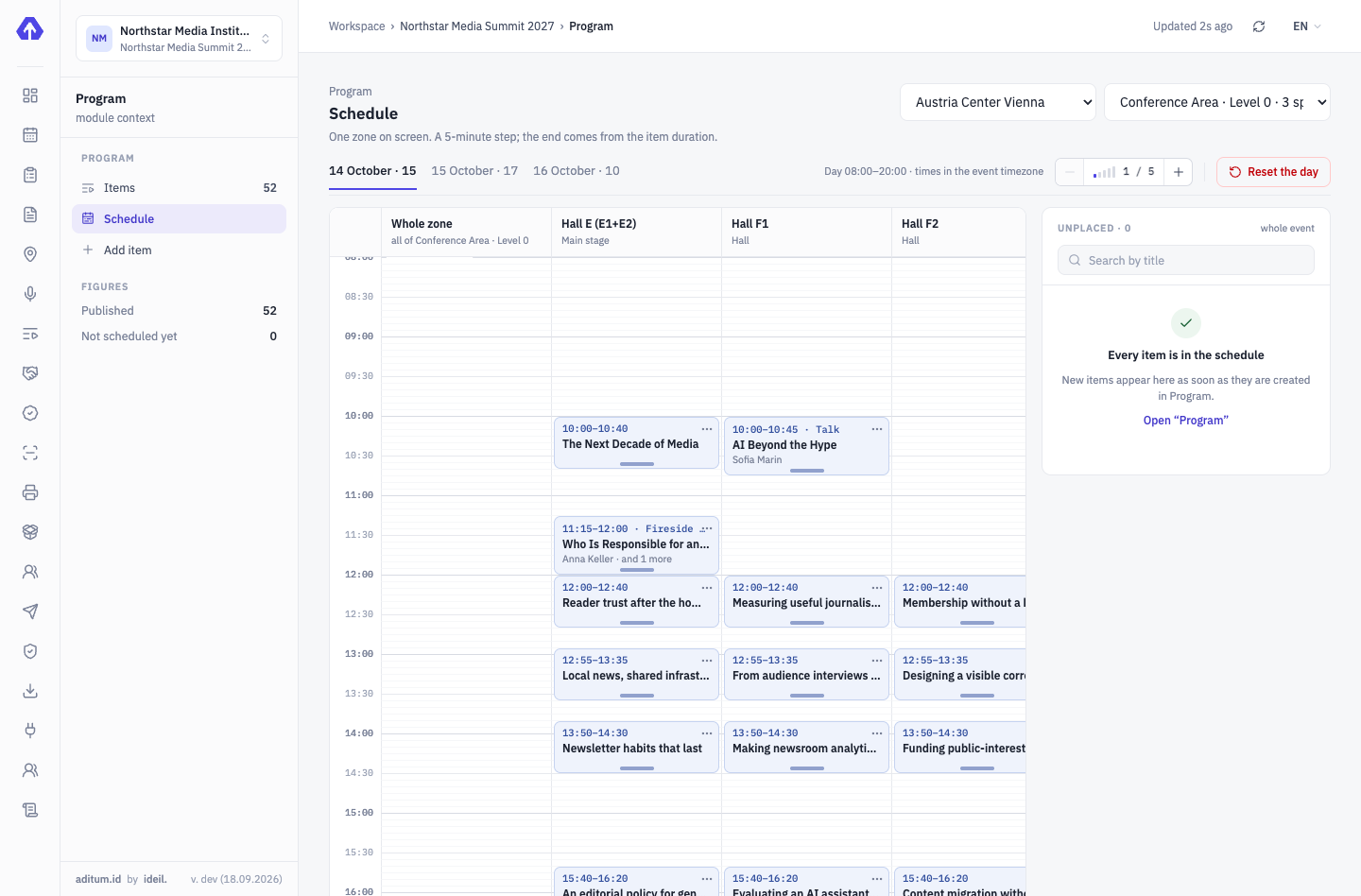
-
18:30Help & Reprints desk
Power banks are due back by the end of the day
41 handed out, 38 returned. Three are on the overdue list with contacts. A “return reminder” email goes to that segment automatically.
On-site accreditation →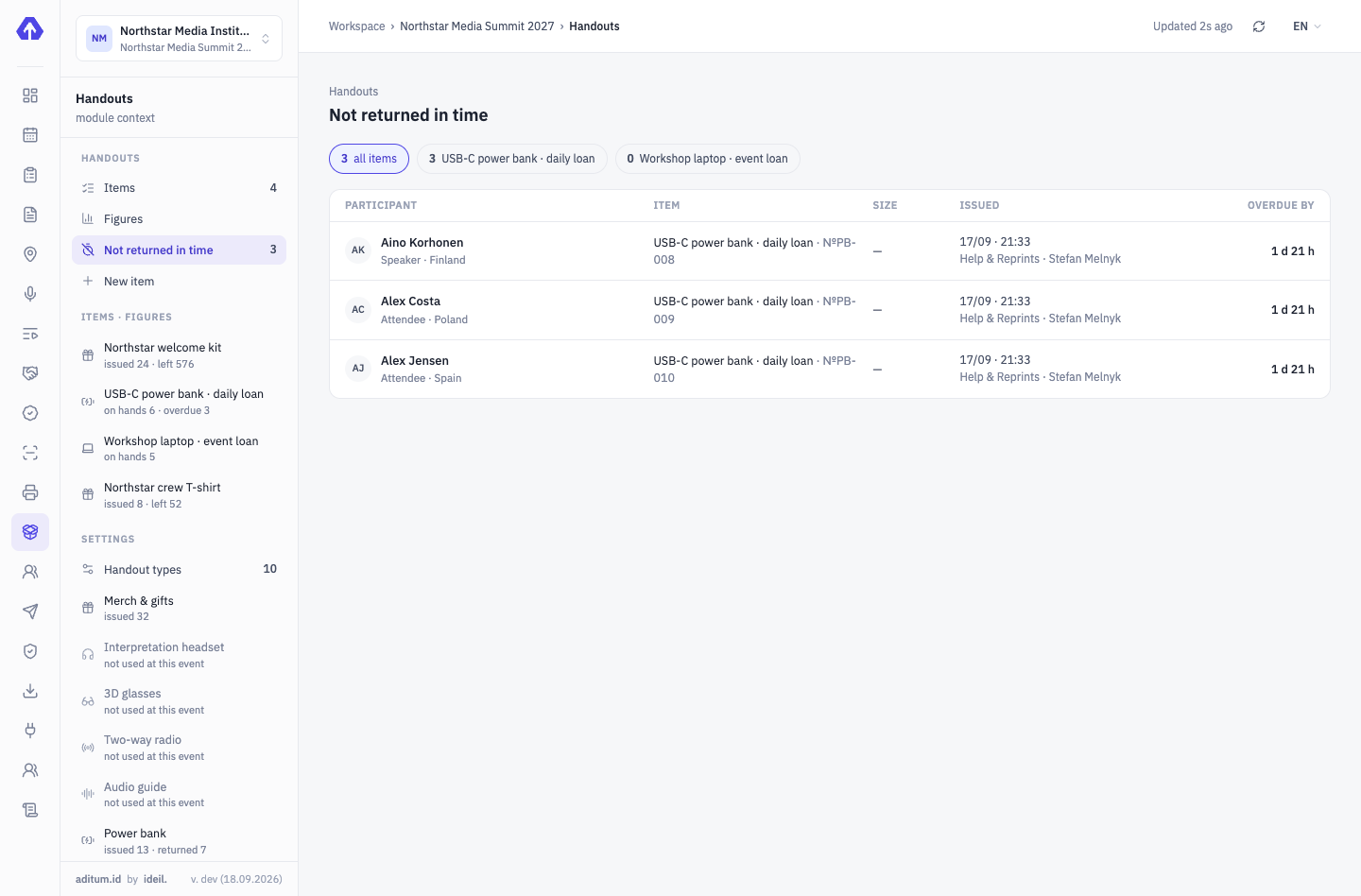


What runs at a conference
Questions and answers
Can we sell conference tickets?
Yes. A ticket type has price phases — early, regular, late — and the next one switches on by itself once the previous sells out or ends. A company buys several tickets in one order with a quantity discount, and each person’s entry document is a badge. Card payments work once a payment service is connected.
How do participants find each other?
Every confirmed participant has a profile in the catalogue: search by name or organization, filter by interest. They connect by request or by scanning a badge, then chat and meet for 15–60 minutes at places you set up. By default nobody sees contacts, and the organizer sees only figures, never the conversations.
What do the screens by the halls show?
A TV or tablet opens live.aditum.id/screen and pairs with a code entered in the console. Scenes: “Now in the hall”, “Event board”, “Announcement”, “Speakers” and “Survey results”. A session runs over — the hall director taps “+10 min”, and the screen and the schedule follow.
How do we collect feedback after the conference?
A survey built from eight question types, NPS and matrix among them, plus a text block. Everyone gets a personal link by email, and those who haven’t answered get a reminder. In confidential mode you see who answered but not what a specific person said; results can go up on a hall screen.
What figures will we have after the event?
Event analytics has the tabs “Registrations”, “Sales”, “Presence”, “Communication” and “Operations”. Session attendance counts as “came / capacity” from door scans, and registrations can be compared with last year’s conference by days to start. Every widget exports to CSV.
We’ll show it on your conference
Your categories, your halls, your programme — we show it on a 30-minute demo call.
Tell us about your event — we’ll show it on yours
A demo is a 30-minute call with the team that develops Aditum. Not slides but your scenario: we set up categories, approvals, zones and desks for your event.
- Fill in the form: event type, number of participants, a few words about it
- Within one business day we email you to agree a time
- On the call we show Aditum configured for your event and answer your questions