A dinner for 80 guests where nobody is asked their name twice
An invitation by a closed link, a guest list you approve, and entry by a Wallet pass. The guest shows their phone and walks in — no queue and no paper list at the door.
- Demo: Northstar Executive Dinner 2027
- 13 October 2027 · Vienna
- a limit of 80 guests
- invite-only

Four things that spoil a private evening
Invite-only
The registration link must not wander around. And if it lands in the wrong hands, the application still doesn’t pass without your decision.
VIPs without a queue
A board-level guest doesn’t stand at a table with a paper list spelling out their name.
Exactly that many seats
A room for 80 means 80. A “plus one” an hour before the start should be a decision, not a surprise at the door.
Sensitive data
Personal phones, assistants, dietary requirements. Not something that should sit in an agency’s email threads.
Not a template. A dinner configuration
The same system that runs a three-day summit. For a dinner most switches are simply off.
- Guest
- Host
- Team
Three categories are enough. Hosts are separate: they are on the evening’s programme and carry a different badge.
- Organizer approves
- Waitlist
You confirm every application. When seats run out, you move a guest to the waitlist instead of refusing.
- One closed invitation form
The form is not listed publicly — only by the link in the invitation. Fields: assistant, dietary preferences, invitation context.
- One room
- Quota 80
One zone, one rule: everyone confirmed. No sessions or overrides — they aren’t needed here.
- Entry by Wallet pass
- Guard at the door
- No registration desk
The guest shows their phone, the host scans — one second. No paper list at the door.
- A confirmation email with the pass
- A reminder the day before
The Apple and Google Wallet pass arrives in the confirmation email. The time changed — the pass updates itself.
Wednesday, 13 October. What it looks like from the inside
-
−14 dConsole · forms
The invitation goes out by a closed link
The form is published but not listed. The guest opens the link from the invitation, takes a minute to fill it in — the application is with you.
Registration →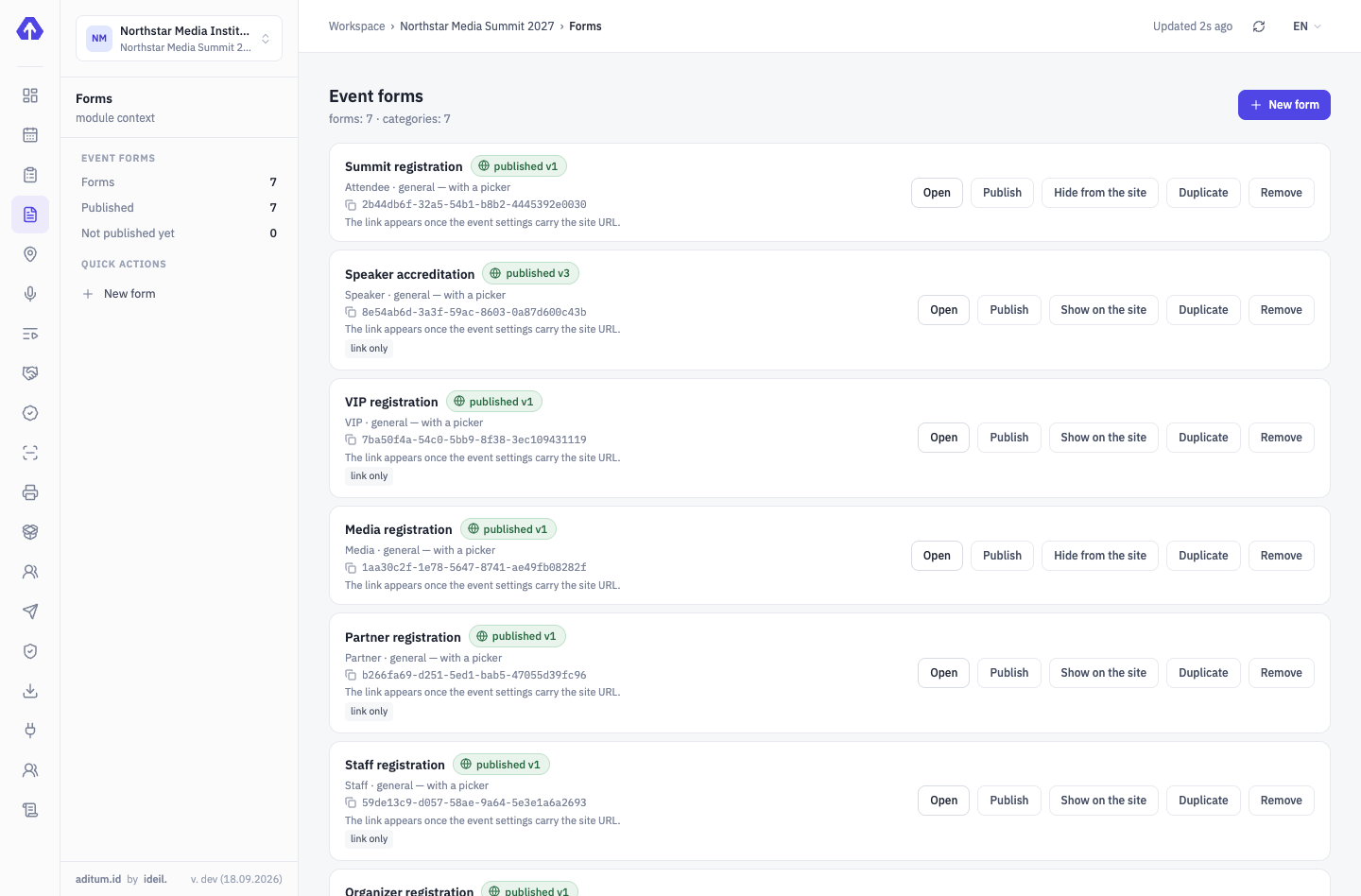
-
−7 dConsole · applications
You approve the guest list
Confirmed — the guest got an email. Seats ran out — the next ones go to the waitlist, and you see whom to move up if someone declines.
Approvals & delegations →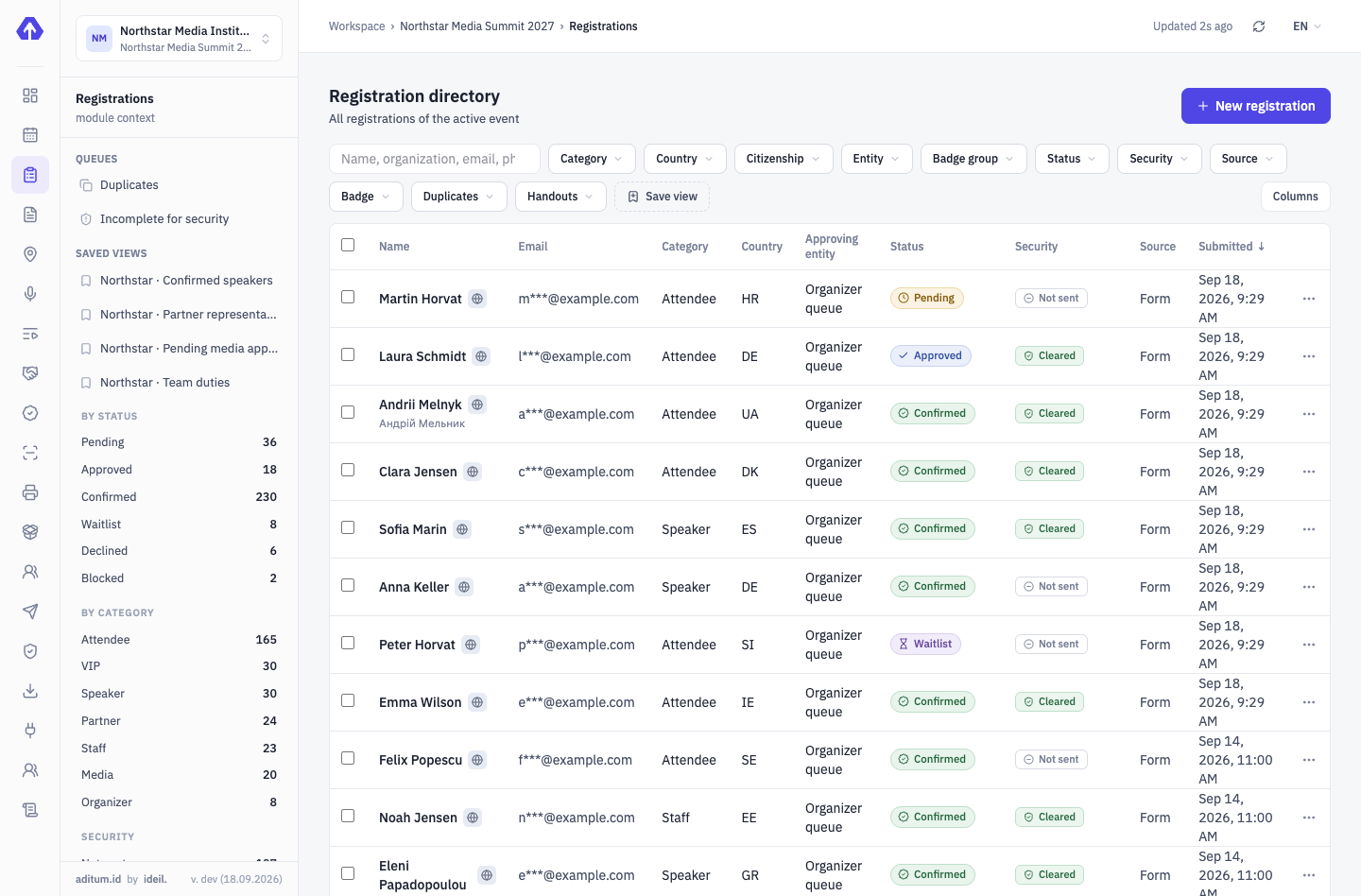
-
−7 dThe guest’s phone
A Wallet pass instead of a paper invitation
The pass holds the event, date, venue, name and QR. No contacts or documents in it. No app to install.
The Wallet pass →NORTHSTAR CategoryGuest- Participant
- Thomas Peeters
- Event
- Northstar Executive Dinner 2027
- Badge group
- Guests
- Date
- 13 October 2027
- Venue
- Palais NÖ, Vienna
-
19:00Entrance · Rittersaal
The guest shows their phone — and walks in
One scan, a green screen, the guest’s name in front of the host — to greet, not to ask again. The pass is logged.
Aditum Guard →Rittersaal ENTRYEntry allowedTPThomas PeetersGuest- Profile
- Guests
- Country
- BE
- Zone
- Rittersaal
- Time
- 13 Oct, 19:02
Rule: Rittersaal → everyone confirmedTap to continueEnter code manually -
23:00Console · passes
Who came is known without counting invitations
The pass log shows who came and when. It is both a report for the hosts and the list for a thank-you email the next morning.
Access control →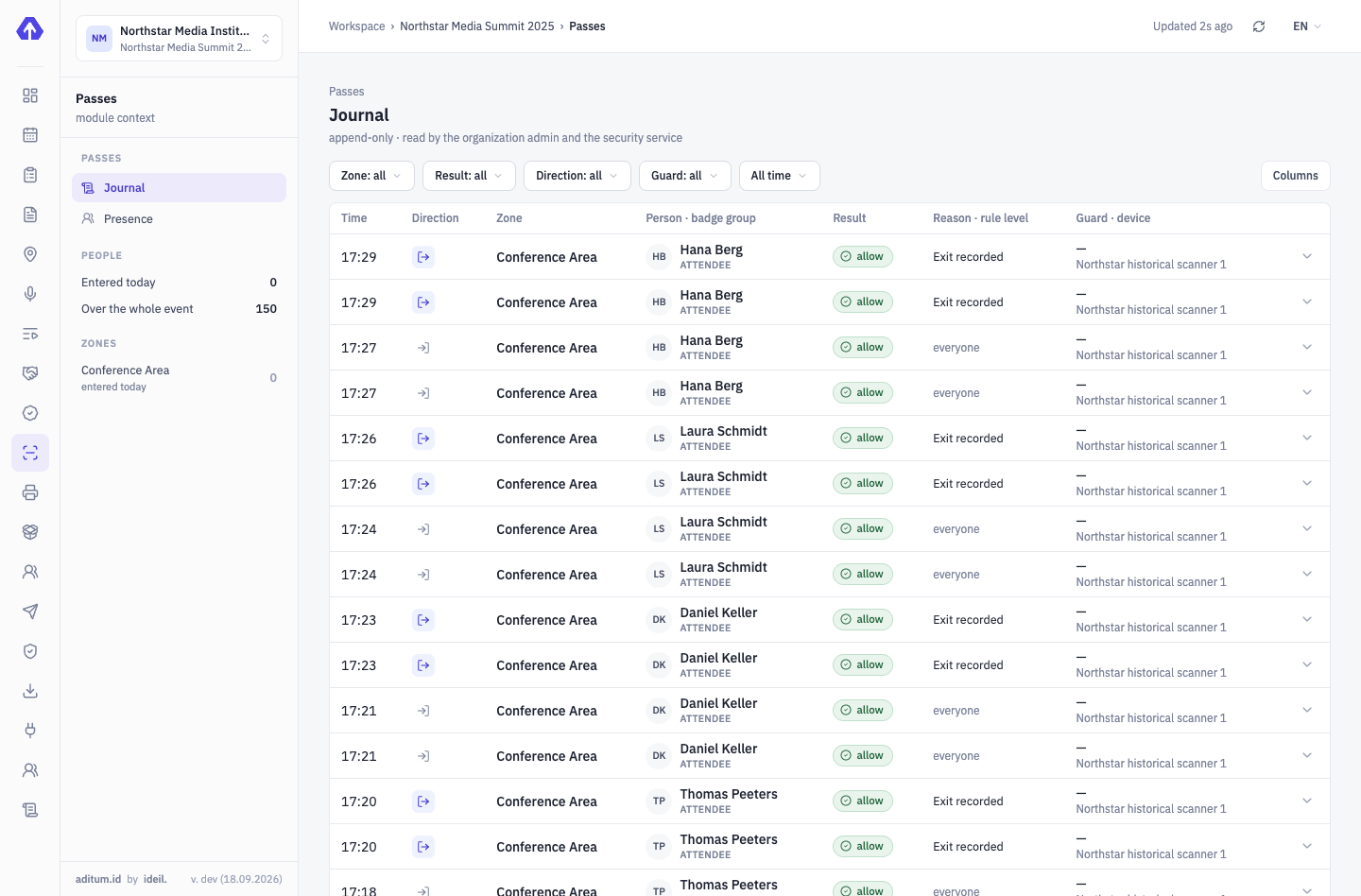


Four modules are enough for a dinner
We’ll show it on your evening
Your guest list, your room, your invitation — we’ll set the demo up in one meeting.
Tell us about your event — we’ll show it on yours
Not slides — your scenario: categories, approvals, zones, desks. We’ll set the demo up for your event.