Thousands of people at the gates — and not one argument at the door
Guests, artists, press, crew and contractors each have their own badge and their own zones. Guard at every gate shows the verdict in a second, and backstage stays backstage.
- one QR per person
- Guard at every gate
- zones: floor, backstage, press
- radios and vests on return

Four things that break at the gate
Gate throughput
Thousands of people an hour. Every argument at the gate is a growing queue and a guard deciding by eye.
Backstage is not for everyone
Artists, their crews, production, artists’ guests. Who can go where is known by one person, and she is busy right now.
Crew and contractors
Build-up, sound, light, catering, security — hundreds of people from different companies with different days and zones of access.
Press
Accreditation must be checked, a vest handed out and the photo pit opened for the first three songs. And the vest returned.
Not a template. A concert configuration
What a summit calls “delegate” and “session room” is called “artist” and “backstage” here. The engine is the same.
- Guest
- Artist
- Artist crew
- Press
- Crew
- Contractor
The category defines the badge and the zones. Artists’ guests are a separate category with its own limit.
- Open mode for guests
- Press and crew via approval
A contractor submits their people — you approve. Press goes through accreditation in a separate queue.
- A form per category
- Closed forms for contractors
Every contractor company gets its own link. A quota limits how many people it can submit.
- Floor
- Fan zone
- Backstage
- Press zone
- Technical area
A rule per zone and an override per person. Build-up on its days, the show on its own.
- Guard at every gate
- Accreditation desk
- Radios and vests — on return
As many devices as there are gates. Every pass is a line in the log: who, where, when, who scanned.
- Status emails
- Apple + Google Wallet
- A crew campaign: call times
The Wallet pass carries the same QR as the badge. Call time changed — a campaign to the “crew” segment.
Show day. What it looks like from the inside
-
08:00Technical area
Contractors come in for build-up
Their people were submitted as their own list and approved in advance. Today the technical area is open to them, backstage is not.
Access control →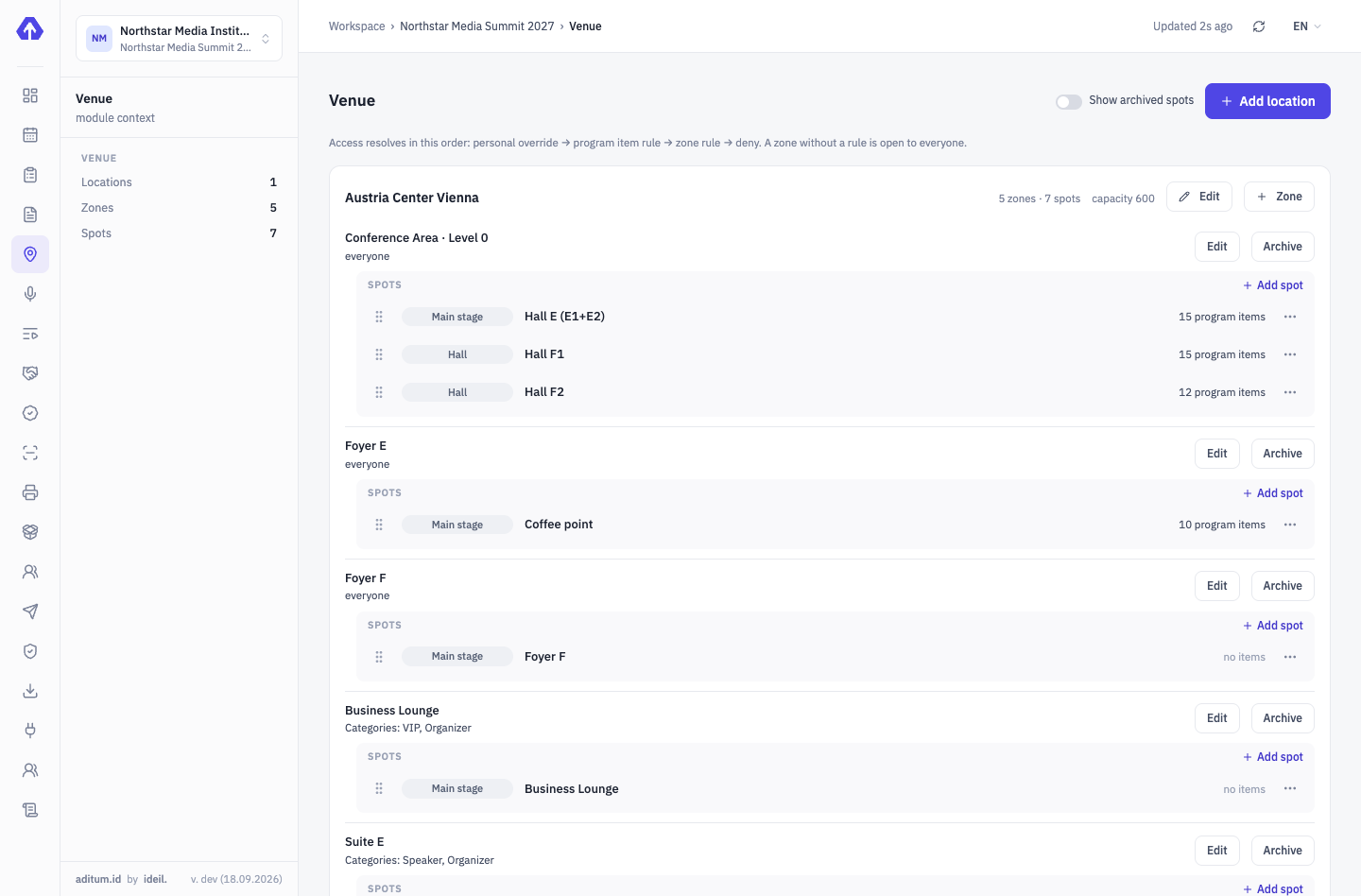
-
14:00Accreditation desk
A radio on record, a vest on record
The operator scans the badge and hands out a radio with its device number. In the evening it is clear who still has one.
On-site accreditation →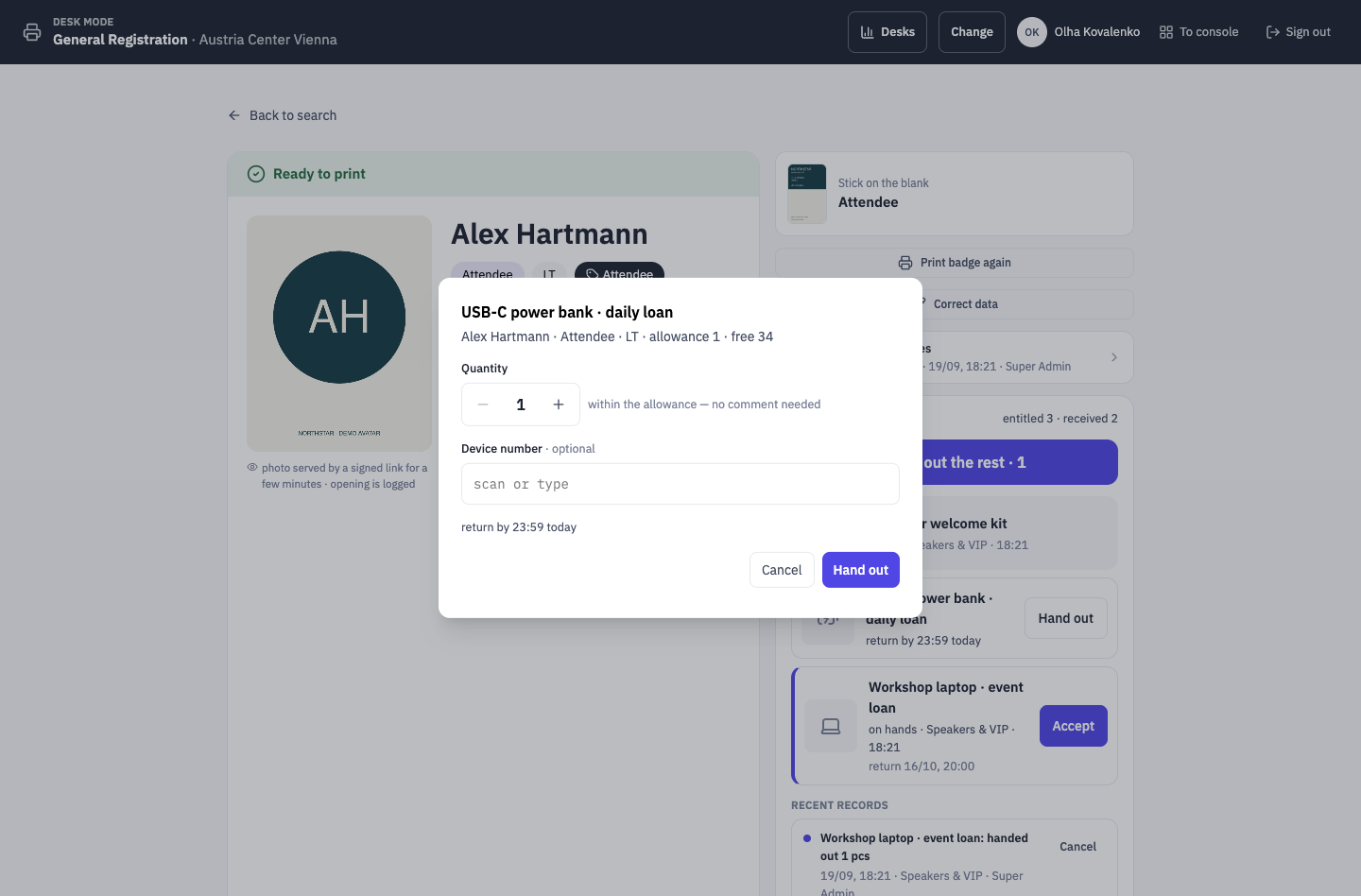
-
18:30Main gate
A scan takes a second, the decision is on screen
A green screen — go ahead. A red one — the reason is written there, nothing to argue with. The queue moves.
Aditum Guard →Gate 3 · Floor ENTRYEntry allowedMKMarta KovačGuest- Profile
- Guests
- Country
- HR
- Zone
- Floor
- Time
- 18:31
Rule: Floor → everyone confirmedTap to continueEnter code manually -
20:45Backstage door
Backstage stays backstage
A guest from the floor politely explains he is “with sound”. Guard shows the denial and the rule — and that ends the conversation.
Aditum Guard →Backstage ENTRYDeniedJSJonas SchmidtGuest- Profile
- Guests
- Country
- DE
- Zone
- Backstage
- Time
- 20:46
The “Guests” group has no access to the “Backstage” zoneTap to continueEnter code manually -
23:30Console · passes
How many people are inside is known right now
The pass log counts entries and exits per zone. Radios and vests that didn’t come back are a separate list with contacts.
Access control →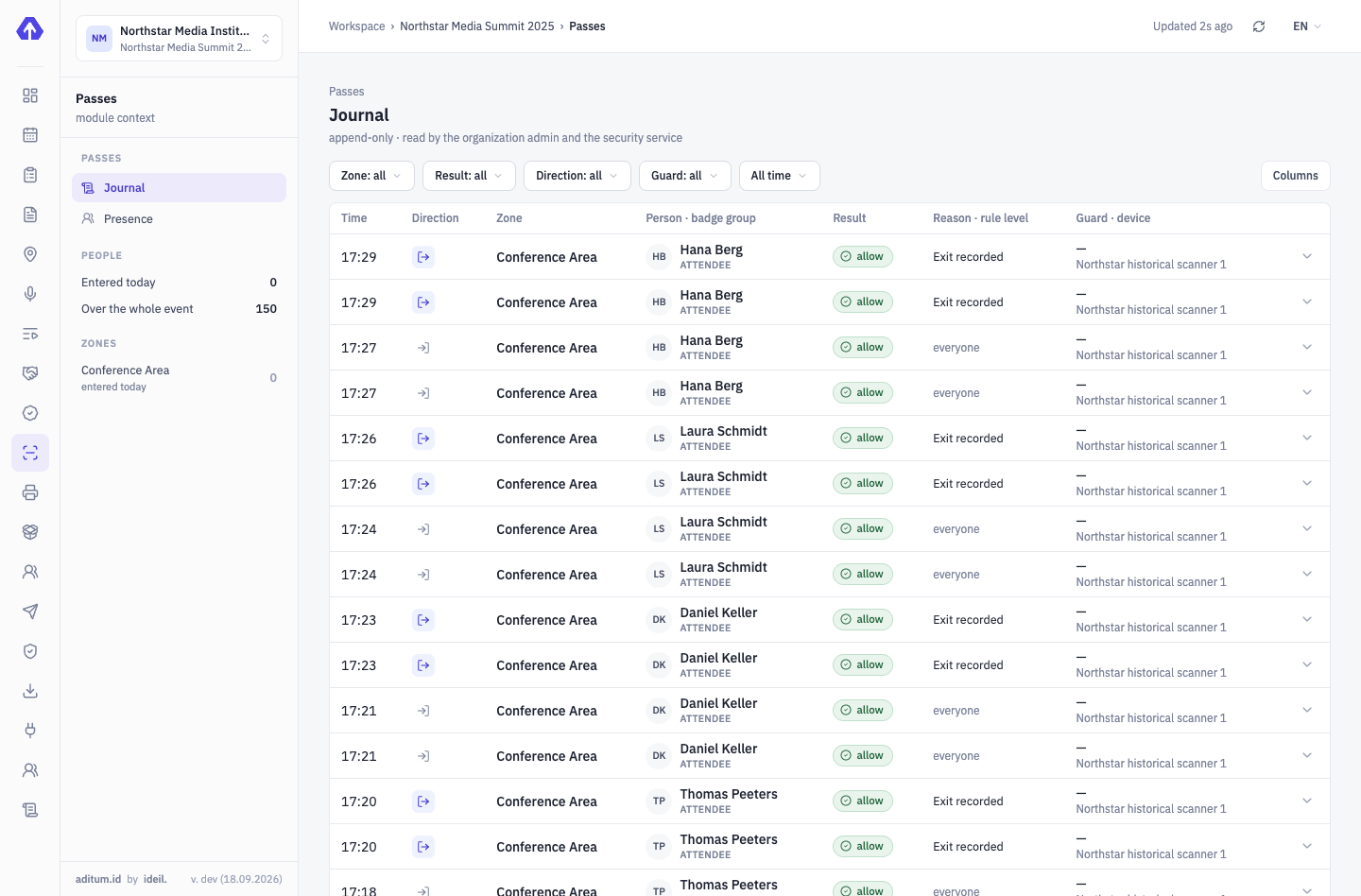


Tickets and payment — in the works
To be honest: Aditum doesn’t sell tickets yet. Today guests get into the system by registration or from your list — and enter with the same QR.
Four modules the gate relies on
We’ll show it on your event
Your gates, your zones, your contractors — we’ll set the demo up for a real venue.
Tell us about your event — we’ll show it on yours
Not slides — your scenario: categories, approvals, zones, desks. We’ll set the demo up for your event.