A workshop that launches in a day and knows who really attended
Open registration with no approvals, laptops and tablets handed out on record and returned at the end of the day, and attendance that counts itself — by day, from the passes.
- Demo: AI & Newsroom Lab 2026
- 12 June 2026 · Vienna
- 64 applications
- open registration
- 2 forms

Four things a training never has time for
Launch in a day
The date was agreed on Monday, registration must open on Tuesday. No time to “set up a system” — you need a form and a link.
Equipment handed out
Laptops and tablets were handed out in the morning on trust. In the evening two are missing, and nobody remembers who has them.
Who really attended
A certificate or a report to the client needs attendance by day, not a list of people who once registered.
Trainers are not participants
They need different fields, a different badge and access to the prep room. One form for everyone can’t do that.
Not a template. A training configuration
The simplest configuration of all: most capabilities are off, and that is exactly why launch takes a day.
- Participant
- Trainer
- Team
Two or three categories. A trainer has their own form and badge.
- Open mode
An application is confirmed at once, with no review queue. If seats are tight, a quota and a waitlist are switched on.
- 2 forms: participants, trainers
Fields about experience, interests, accessibility needs. The form embeds into your site or opens by link.
- One room
- Trainers’ room
Two zones, two rules. Sessions — if workshops run in parallel and seats are limited.
- One desk
- Laptops and tablets — return at the end of the day
- Attendance by day
Handed out on record with the device number. Who hasn’t returned — a separate list with contacts.
- Status emails
- A follow-up email with materials
Confirmation is automatic. Materials after the training go out as a campaign to confirmed participants.
Friday, 12 June. What it looks like from the inside
-
−10 dConsole · forms
The form is published — registration is open
Two forms, a registration window, a link. Applications confirm themselves; you see how many seats are left.
Registration →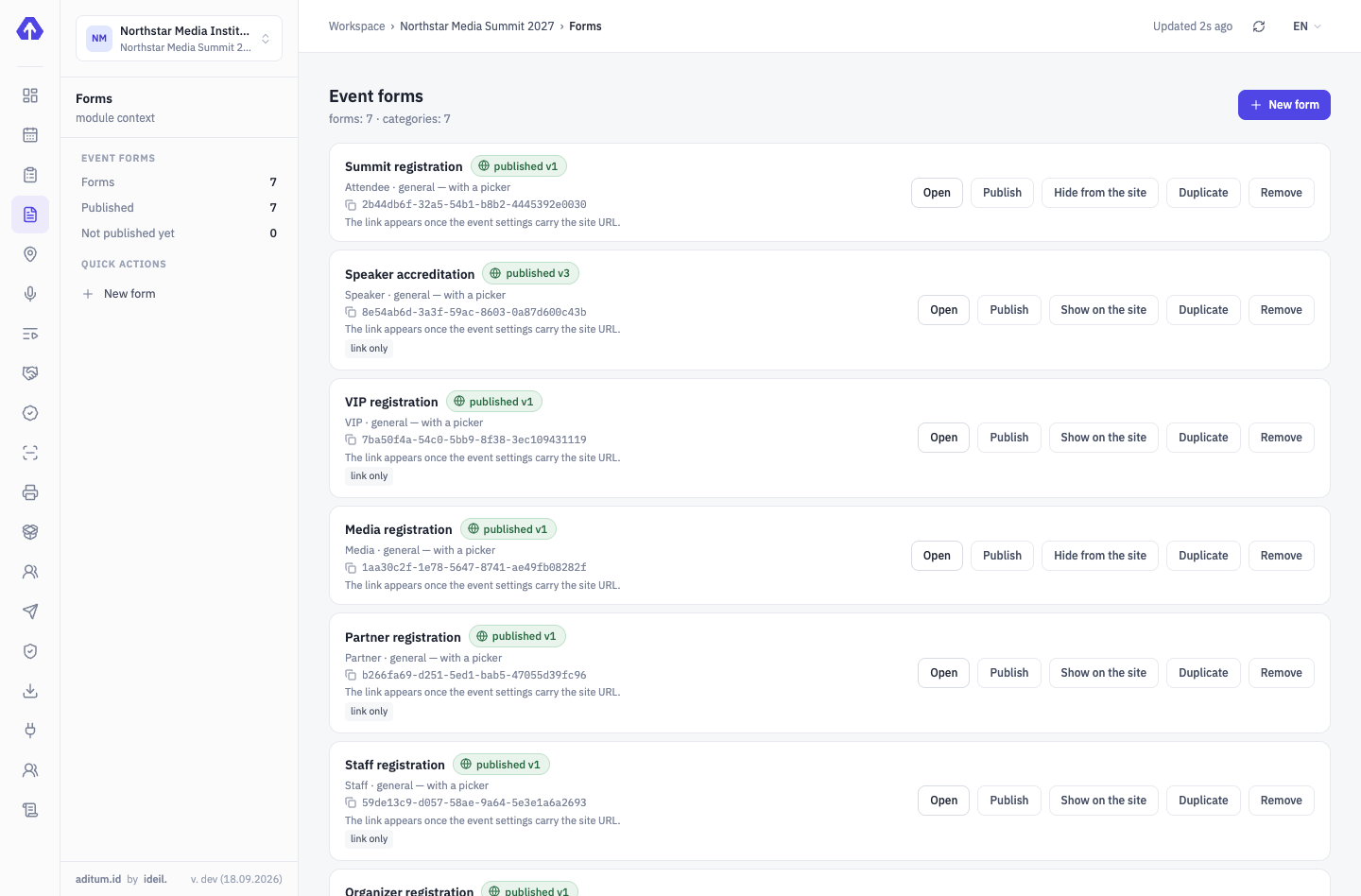
-
09:00Registration desk
A badge and a laptop — in one move
The operator finds the person, prints the badge and hands out a laptop with its device number. All of it is recorded on their card.
On-site accreditation →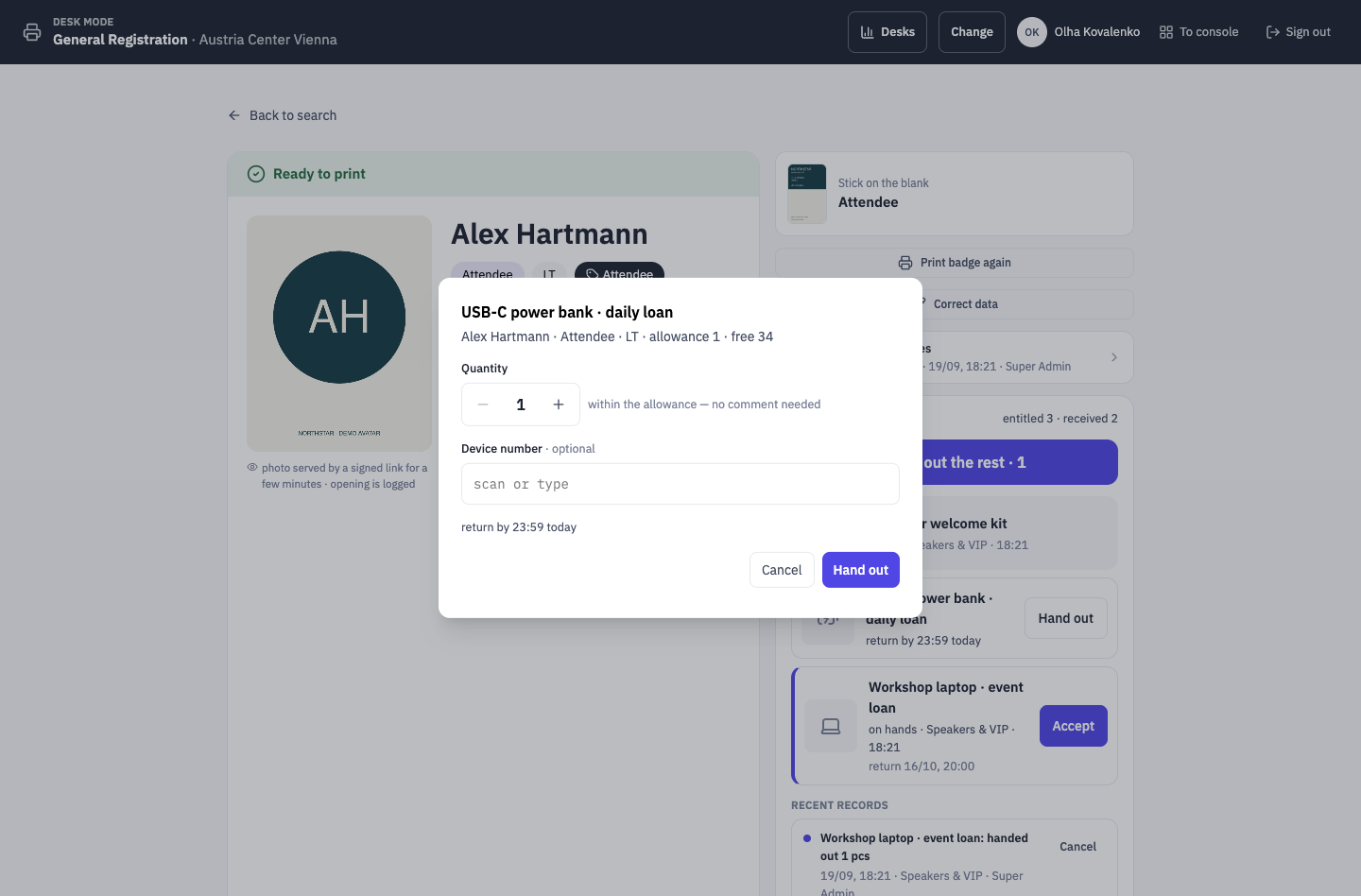
-
09:30The room door
A pass counts attendance
A scan at the door is both control and today’s attendance mark. There is no separate sign-in sheet.
Aditum Guard →Arena21 ENTRYEntry allowedAKAnna KellerTrainer- Profile
- Trainers
- Country
- AT
- Zone
- Arena21
- Time
- 12 Jun, 09:31
Rule: Arena21 → everyone confirmedTap to continueEnter code manually -
17:30Desk · returns
Laptops come back — or land on a list
Any desk accepts a return. What isn’t back on time is on the overdue list with the person’s contact.
On-site accreditation →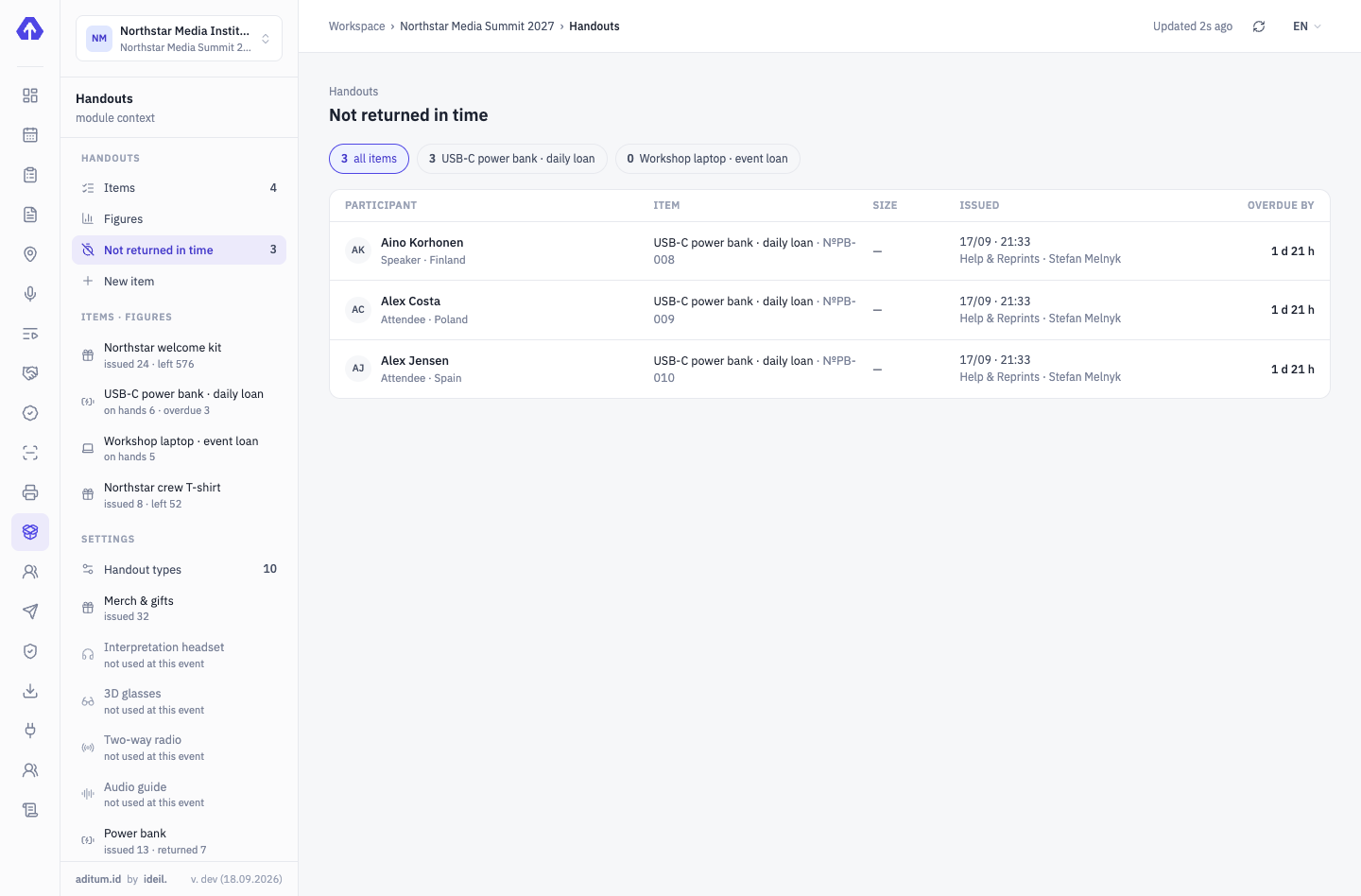
-
+1 dConsole · passes
Attendance — a ready report
Who came, on which days, at what time. The attendance list is the basis for certificates and the report to the client.
Access control →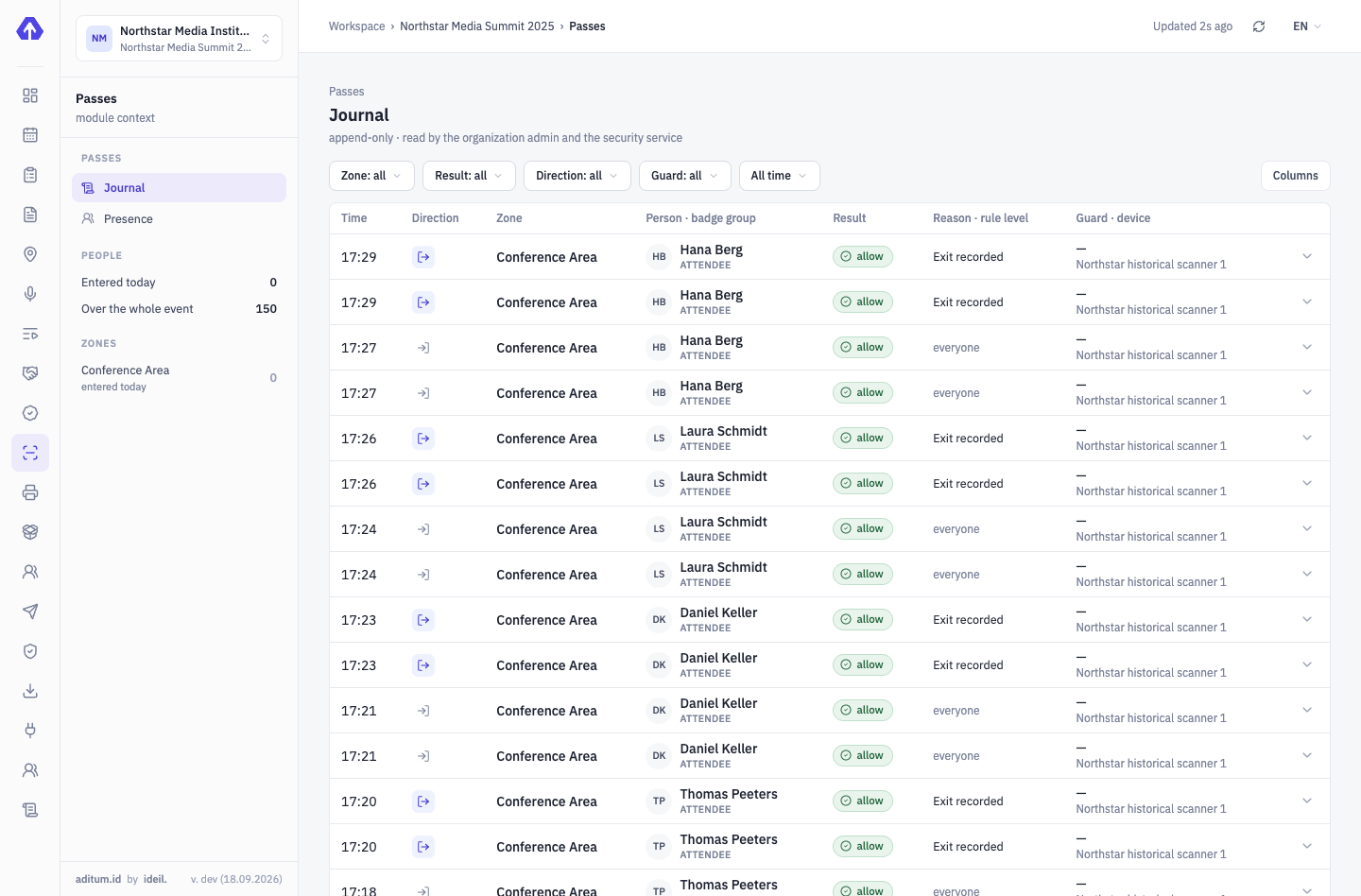


Four modules are enough for a training
We’ll show it on your training
Your form, your equipment, your room — we’ll set the demo up in one meeting.
Tell us about your event — we’ll show it on yours
Not slides — your scenario: categories, approvals, zones, desks. We’ll set the demo up for your event.